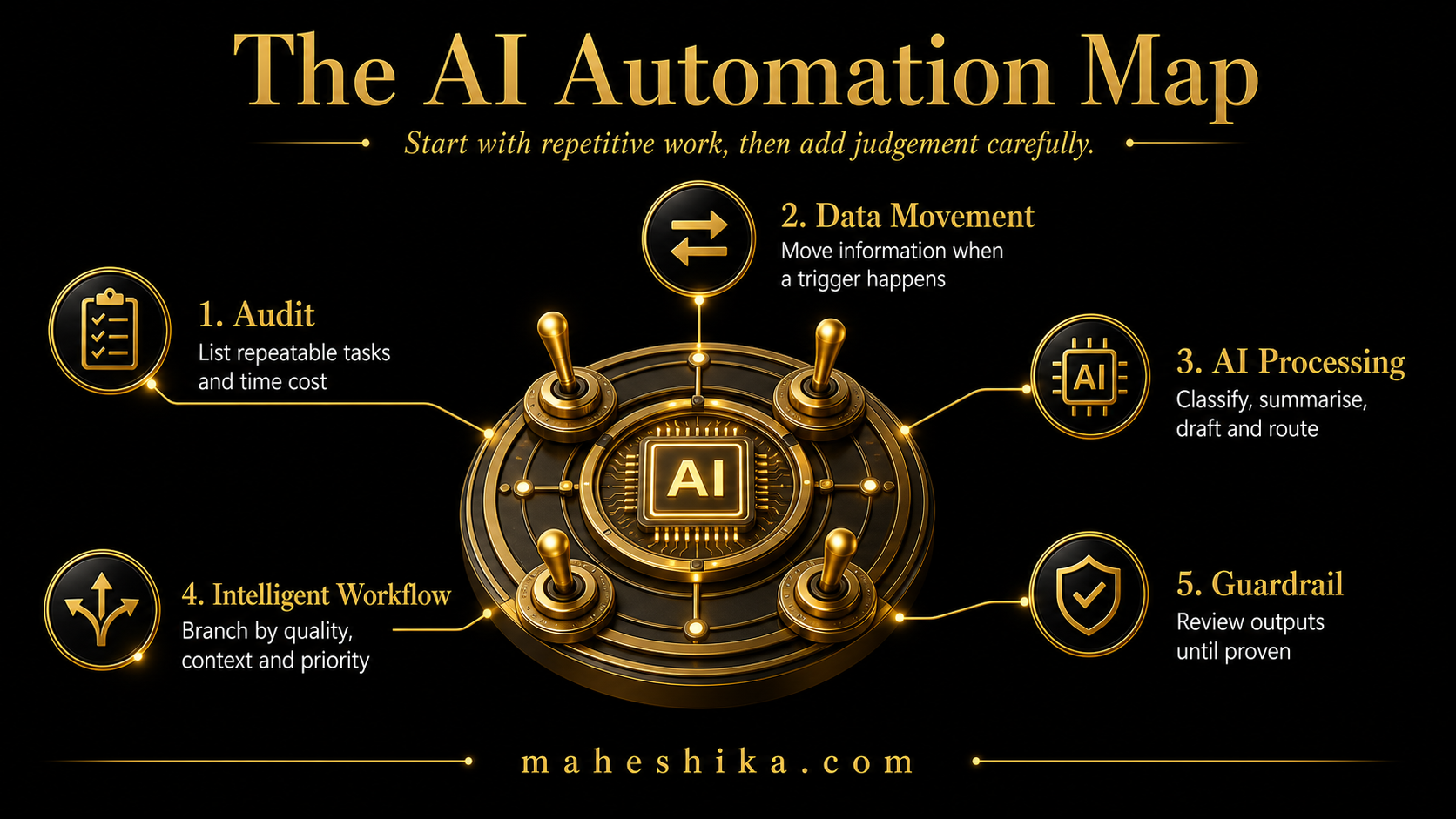
Automation used to mean hiring a developer, commissioning custom software, and spending months waiting for something that may or may not work. That description is five years out of date. In 2026, a non-technical business owner can build meaningful automated workflows in an afternoon using visual, drag-and-drop platforms that require no code at all. The question is no longer whether you can automate; it is what to automate first and how to do it well.
Automation and AI are related but distinct. Pure automation moves information between systems according to rules: when X happens, do Y. AI adds the layer of judgement: interpret this, draft that, categorise this, decide which path to take. The most powerful workflows for small businesses combine both. This guide covers both.
The Automation Audit: Finding What to Automate
Before touching any tool, spend one hour mapping your repetitive processes. A repetitive process has three characteristics: it follows a consistent pattern, it does not require unique judgement every time, and you or someone on your team does it multiple times per week.
Common examples in small businesses include: sending a welcome email when someone fills in a contact form, adding a new client to a spreadsheet or CRM when they sign a contract, creating a follow-up task after a sales call, sending appointment reminders, routing enquiries to the right team member based on the subject, and posting content to social media on a schedule. Every one of these can be fully automated.
List every repetitive process you can identify. Estimate how many minutes it takes each time and how often it happens per week. The ones with the highest total time cost are your priorities.
The Three Layers of Business Automation
Think of automation in three layers, each building on the one below.
Layer one: data movement. Information moves from one place to another when a trigger event occurs. A form submission creates a contact record. A payment triggers an invoice. A calendar event sends a reminder. This layer requires no AI at all, just a connection between two tools. It is the easiest and fastest to implement, and it often saves the most time.
Layer two: AI-assisted processing. Instead of just moving data, the automation includes an AI step that processes it. An enquiry comes in, AI categorises it by topic and sentiment, and it is routed to the right person with a suggested response already drafted. A document is uploaded, AI summarises it and extracts key action items. This layer requires slightly more setup but delivers dramatically better results than pure data movement.
Layer three: intelligent workflows. Multi-step processes that branch based on conditions, involve AI at multiple points, and run continuously without supervision. A new lead submits a form, AI scores the lead quality based on their responses, high-quality leads receive a personalised follow-up sequence while lower-quality leads enter a nurture sequence, and the whole thing runs without a human touching it. This layer takes time to build well, but a single intelligent workflow can replace dozens of hours of manual work per month.
Related Reading
The Four Most Valuable Automations for Small Businesses
Lead intake and follow-up. When someone expresses interest in your services, the speed and quality of your follow-up has a direct impact on conversion. An automated sequence that sends a relevant, personalised email within minutes of an enquiry, regardless of when that enquiry arrives, consistently outperforms manual follow-up. Build this first if any part of your revenue depends on converting inbound enquiries.
Client onboarding. The first two weeks of a new client relationship set the tone for everything that follows. An automated onboarding sequence, welcome email with key information, agreement sent for signature, kickoff call booked, initial questionnaire delivered, all running automatically when a project is marked as started, produces a consistently professional experience without requiring you to remember every step.
Content publishing. Drafting content is one task; publishing it consistently across multiple platforms is another. An automation that takes approved content and distributes it to your newsletter, social channels, and website on a schedule removes the friction that causes most small businesses to publish inconsistently.
Administrative data entry. Manually copying information from emails into spreadsheets or CRM systems is pure waste. Any process that involves you reading something and typing it somewhere else is a prime automation candidate. The platforms available now can extract structured data from emails, forms, and documents and put it exactly where it needs to go.
Free
Start free: what might your organisation not be seeing?
The Business X-Ray is an outside-in look at your business: what is visible, what may be happening underneath, and what cannot be known from the outside at all. Reviewed personally before it goes out.
Get the free Business X-RayBuilding Your First Automation: A Practical Walk-Through
Choose a no-code automation platform. Log in and look for templates related to your chosen use case. Most platforms have hundreds of pre-built templates that you customise rather than build from scratch. Select the template closest to what you need and open it.
You will see a visual representation of the workflow: a trigger event on the left, a series of actions flowing to the right. Each step shows which tool is involved and what action it performs. Your job is to connect each step to your own accounts and configure the specific details, such as the email text, the destination folder, or the field mappings.
Test the workflow with real data before activating it. Send a test form submission, make a test purchase, or manually trigger the start event and watch what happens at each step. Fix anything that does not behave as expected. Then activate it and monitor it for the first week to confirm it is working correctly in live conditions.
The first automation takes longest because you are learning the platform. The second takes half as long. By the fifth, you are building useful workflows in 20 to 30 minutes.
The Rules That Prevent Automation Disasters
Never fully automate anything that goes to a client without a review step, at least initially. Build in a human approval point until you have enough confidence in the output quality to remove it. Start conservative; loosen controls as you verify the results.
Document every automation you build. Write a brief note about what it does, what triggers it, and what it affects. You will thank yourself when something behaves unexpectedly three months later and you cannot remember how you built it.
Review your automations quarterly. Business processes change. A workflow that made sense six months ago may now be duplicating work, contacting people at the wrong stage, or firing on a trigger that no longer means what it used to. A 30-minute quarterly review prevents months of silent problems accumulating.
The One System You Should Not Automate Away
So yes, you can automate your business without a technical team. Map your repetitive processes, start with the highest time cost, build one workflow properly before starting the next, and within a few months the business runs on rails it used to need you to pull by hand. That is the real answer, and it works.
But notice what you just did. You spent this whole guide making the business run without you in the room, because the parts that do not need your judgement should not be taking your time. Here is the part worth sitting with: the same logic is coming for the parts of you that clients actually hire. AI can now answer the question you used to answer, draft the document you used to draft, and sound reasonably like an expert while it does it. When the routine work is automated and an expert-sounding answer is free, the only thing left worth paying for is you, specifically, the one they found and trusted.
That trust does not live in your inbox automations or your CRM. It lives wherever your name, your thinking, and your track record are gathered in one place, owned by you, findable in a search, impossible to mistake for anyone else. Most experienced founders do not have that. Their expertise is scattered across old posts, a defunct company site, a LinkedIn feed the algorithm buries. Automate everything else you like, that gap is still the one thing quietly costing you the clients who would have chosen you first.
Building that home for your expertise is not another workflow to configure over a weekend, and it should not be treated like one. If you want it built properly, by someone who has spent 18 years in enterprise commercial leadership and now builds exactly this for a living, let us talk.
This article is part of the AI for Small Business: The Complete Guide. See the full series for a complete picture of implementing AI in your business.