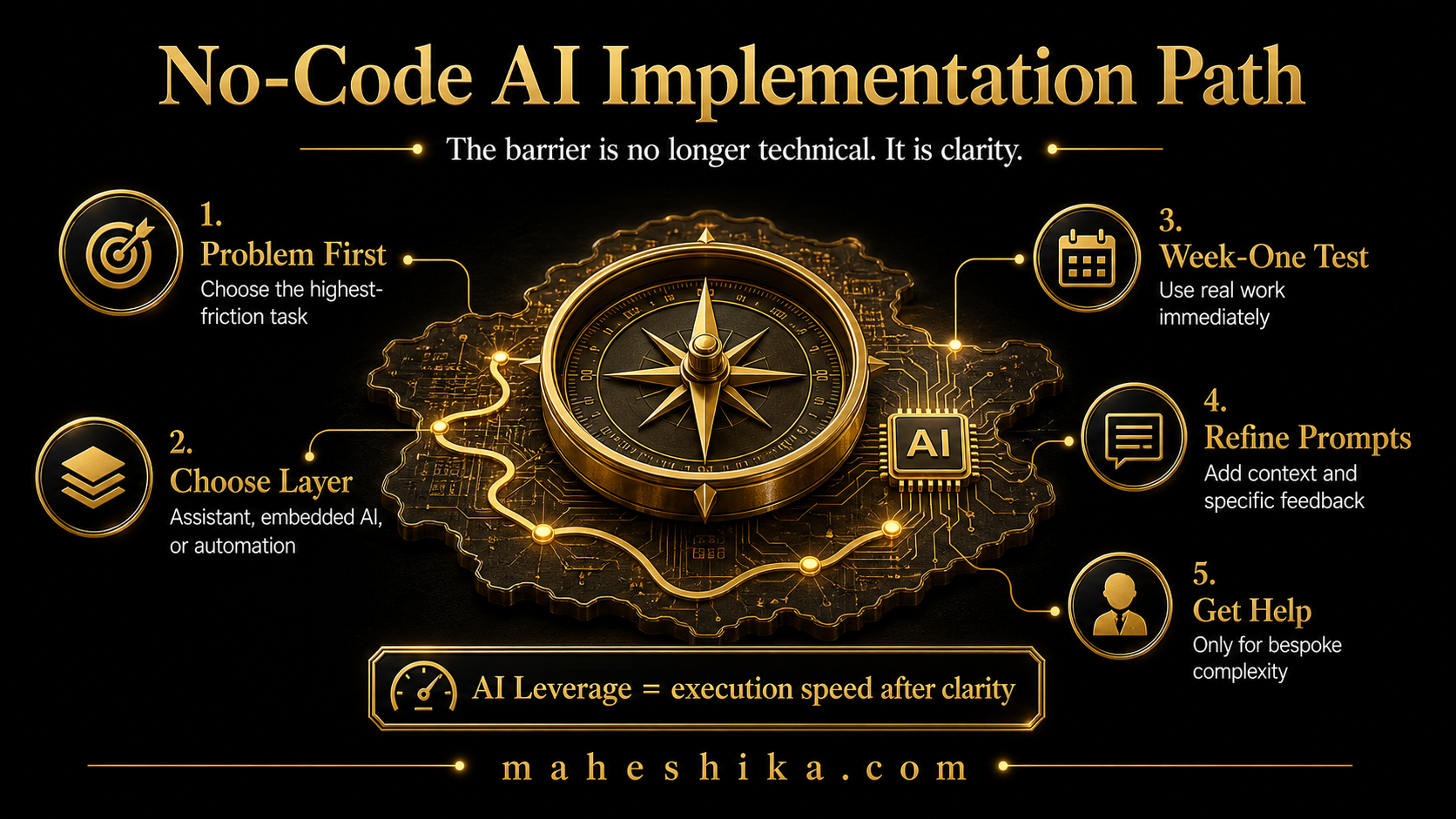
The assumption that AI implementation requires a developer is one of the most persistent myths in the small business world right now. It made sense three years ago, when most AI applications genuinely did require technical configuration. It is no longer true. The tools available in 2026 have been built with non-technical users in mind, and the gap between what a developer can set up and what a business owner can set up themselves has narrowed to almost nothing for the vast majority of practical use cases.
What implementation actually requires is clarity about the problem you are trying to solve, a willingness to experiment, and an hour or two to learn the basics of giving good instructions. That is it. Here is how to approach it.
Start With the Problem, Not the Tool
The single most common mistake in AI implementation is starting with a tool and working backwards to find a use for it. You read about a new AI assistant, sign up, open it, and then stare at it wondering what to do. This is not a failure of the tool; it is the wrong starting point.
Begin by writing down the five tasks in your week that consume the most time relative to the thinking they require. These are typically things like writing content, responding to routine enquiries, producing recurring documents, researching topics before client calls, or manually moving information between systems. Each of those is a candidate for AI assistance. Pick the one that costs you the most time and start there.
The Three Categories of No-Code AI Implementation
Most small business AI use cases fall into one of three categories, and each has a different implementation approach.
Conversational AI tools are general-purpose assistants where you type a request in plain English and receive a response. Writing a draft, summarising a document, answering a question, brainstorming ideas: these are all conversational AI tasks. Implementation is as simple as opening the tool and starting. The skill to develop is prompting: giving clear, contextual instructions that produce useful outputs. You do not configure anything; you learn to communicate with the tool effectively.
Embedded AI tools are AI features built into software you already use. Your email client may have an AI drafting assistant. Your CRM may have AI-suggested follow-up actions. Your accounting software may have AI-powered categorisation. These require no setup at all beyond enabling a feature. Check what AI capabilities your existing software already offers before looking for new tools.
Automation platforms connect your existing tools together using a visual, no-code interface. When someone fills in a form on your website, an automation can create a task in your project management software, send them a welcome email, and notify your team in a Slack channel. None of that requires code. The platforms that do this have drag-and-drop interfaces designed for non-technical users. Implementation takes an afternoon to learn and minutes to set up once you know what you are doing.
Related Reading
A Practical First Week
Day one: identify your one highest-priority use case using the task audit above. Do not add a second task to your list yet.
Day two: open a free conversational AI tool and spend 30 minutes experimenting with it on your chosen task. Do not aim to produce finished work. Aim to understand what kind of instructions produce what kind of outputs. Try being vague, then specific. Try short prompts, then detailed ones. You are learning the language of AI, which is really just learning to communicate precisely.
Day three to five: use the tool on your actual task. If it is content, draft your next blog post or newsletter with AI assistance. If it is customer enquiries, use AI to draft three responses to common questions. If it is research, ask AI to summarise a topic you need to brief a client on. Evaluate the output against what you would have produced yourself.
By the end of the first week, you will have a working opinion on whether this tool and use case combination is worth building into a regular process. If it is, systematise it: create a template prompt you can reuse, build it into your weekly routine, and then look at your next candidate task.
Free
Start free: what might your organisation not be seeing?
The Business X-Ray is an outside-in look at your business: what is visible, what may be happening underneath, and what cannot be known from the outside at all. Reviewed personally before it goes out.
Get the free Business X-RayWhat to Do When You Hit a Wall
Every business owner hits moments where AI does not do what they expected. The output is wrong, or generic, or misses the point entirely. Before concluding the tool is not suitable, check three things.
First, did you give it enough context? AI does not know your business, your clients, or your tone unless you tell it. A prompt that says "write a blog post about leadership" will produce a generic blog post about leadership. A prompt that says "write a blog post for mid-career professionals considering consultancy, in a direct and intelligent tone, covering three reasons why the corporate ladder is no longer the safest path" will produce something usable.
Second, are you asking it to do too many things at once? Complex tasks produce better results when broken into steps. Ask for an outline first, review it, then ask for each section to be written based on the outline.
Third, have you tried refining the output rather than regenerating it from scratch? Tell the AI what is wrong with what it produced. "This is too formal, make it more conversational." "The second paragraph is too long, cut it in half." AI responds well to specific feedback. Treating the conversation as iterative, rather than a single prompt producing a final output, is how experienced users consistently get good results.
The Real Barrier Was Never Technical
So no, you do not need a technical team to implement AI in your business. You need a clear problem, a willingness to experiment for an hour, and the discipline to start with one task instead of ten. There are a small number of cases that genuinely need a developer, custom model training, legacy system integration without an API, but for most small businesses those situations never arise. The barrier that used to be technical is now just a decision.
Here is the realisation underneath that one, though. The tools that made AI implementation this easy are the same tools that make it easy for anyone to produce a competent-sounding answer about your industry. A client can now get a passable version of your advice from a chatbot at midnight, for free. What that chatbot cannot produce is you: the specific business you have built, the judgement you bring, the name people ask for by name. If your expertise only lives in your head and in other people's inboxes, it is invisible to the exact audience now searching for someone real to trust.
The businesses that stay unmistakable are the ones with a place of their own online, under their own name, where the thinking, the results, and the person behind them are all in one spot a search engine and a human being can both find. Not a generic template. Not a profile buried inside someone else's platform. Something owned outright, that keeps working for you whether or not you are the one answering the enquiry that day.
You have just proven you can implement AI without outside help. Building the site that makes your expertise impossible to mistake for anyone else's is the next move, and you do not have to figure it out alone. Let us talk.
This article is part of the AI for Small Business: The Complete Guide. Browse all 13 articles in the series for a full picture of how to build AI into your business systematically.