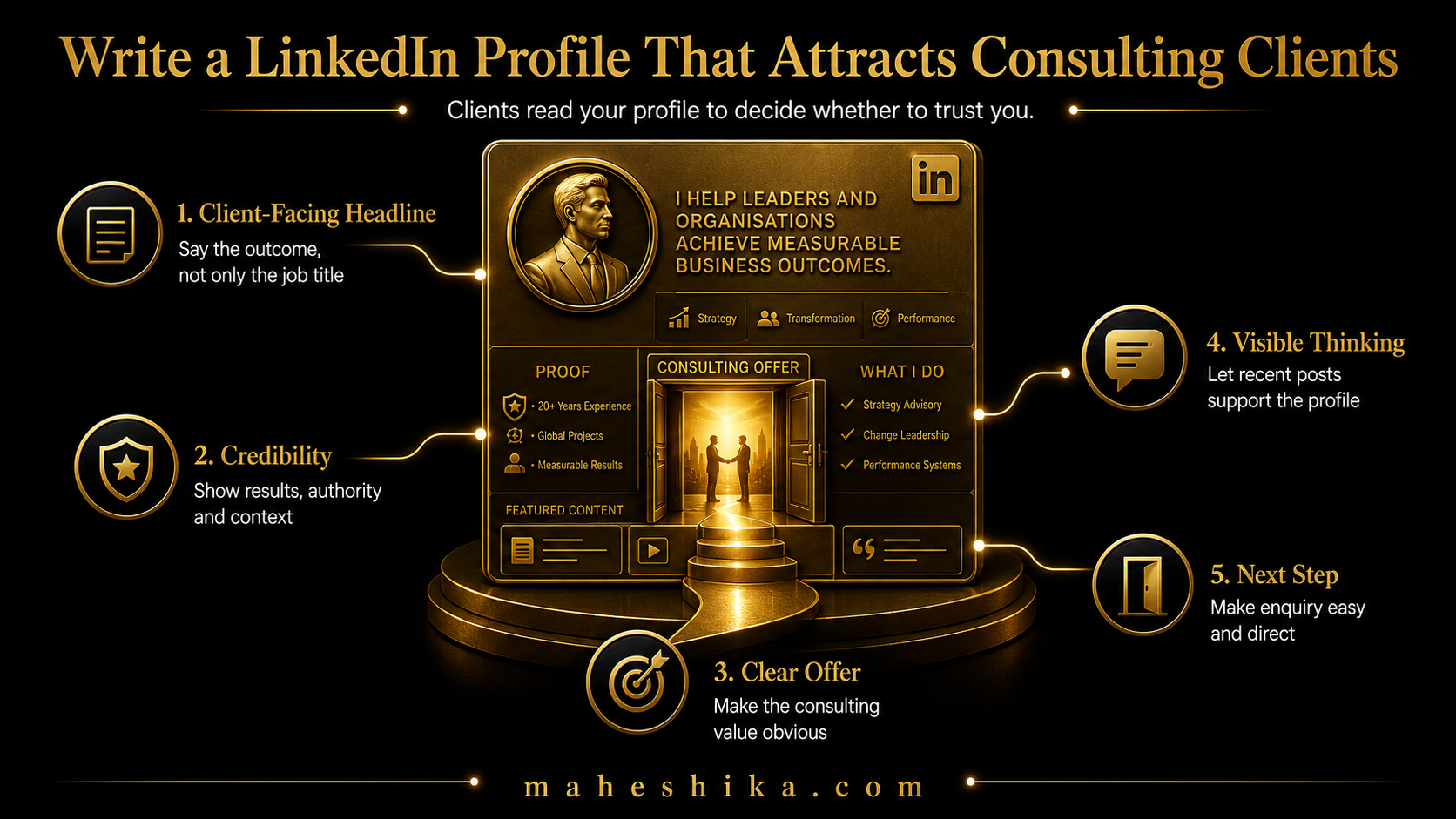
Most LinkedIn profiles are CVs in disguise. They list titles, companies, dates, and responsibilities in reverse chronological order, designed to impress a recruiter who is scanning for keywords. That profile does nothing for an independent expert. A consulting client does not want to know your reporting lines at a company you left five years ago. They want to know whether you can solve the specific problem they are staring at right now.
This is a section-by-section guide to rewriting your LinkedIn profile so it attracts the clients you want, not the recruiters you have moved beyond.
The Headline: Your Most Important Line
Your headline appears everywhere on LinkedIn: in search results, on other people's posts when you comment, in connection requests. It is the first thing a potential client reads, and it is read in about two seconds. Make it count.
Delete your job title. Replace it with a statement of what you do, who you do it for, and what outcome they get. The formula is: [Action] + [Who] + [Result]. Some examples: "I help logistics businesses reduce supply chain risk while growing margins" or "Strategy consultant for scale-up founders preparing for Series B" or "Board-level advisor for FMCG businesses expanding into EMEA channels."
If you have a credential that carries weight in your target market, include it. PhD, specific professional qualification, "former [relevant senior role]": these can appear in the headline without being the headline. The outcome still leads.
Avoid buzz phrases. "Passionate advocate for transformation," "experienced leader unlocking potential," and "strategic thinker driving impact" communicate nothing and are used by everyone. Specificity is the differentiator.
The About Section: Write It for the Client, Not for You
Most About sections open with the person's name and a summary of their career. That is the wrong starting point. The client who lands on your profile already knows your name. Start instead with the problem you solve.
Open paragraph: name the specific problem you address and who typically experiences it. "Commercial teams in mid-market businesses often reach a point where the revenue growth is there but the infrastructure to sustain it is not. I work with the commercial directors navigating that transition."
Second paragraph: explain your approach, briefly and concretely. What do you actually do when you work with a client? What is distinctive about how you work? Avoid jargon. Write the way you would talk to a smart person who does not know your industry.
Third paragraph: establish credibility without listing everything. Two or three specific career highlights that are directly relevant to the work you are now doing. Not your whole career, not the impressive-sounding work that has no bearing on your current positioning. Just the evidence that makes this client believe you can actually deliver.
Closing: a clear, simple call to action. "If you are dealing with [specific problem], I would be glad to have a conversation. My email is [address] and I am also happy to connect here." Simple. Direct. No false urgency.
Related Reading
The Experience Section: Reframe It as Evidence
Your experience section should tell the story of how you developed the expertise you are now offering. That means rewriting each role description as evidence, not just activity.
For each relevant role, focus on the problem you were brought in to solve, the approach you took, and the outcome. Numbers help: not fabricated ones, but real commercial results that give a sense of scale and impact. "Led a commercial restructure of the indirect channel across six European markets, resulting in 34% improvement in partner productivity over 18 months" is more useful to a prospective client than "responsible for channel management across EMEA."
You do not need to write detailed descriptions for roles from ten or fifteen years ago unless they are directly relevant to your current positioning. A brief line is sufficient for older roles. Depth belongs in the last three to five years of your career.
Free Tool
Start free: where do you actually stand?
Two free tools give you an honest answer in minutes. The AI Risk Score shows how exposed your role is. The Expertise Ownership Score shows how findable and owned your expertise is.
AI Risk Score Expertise Ownership ScoreFeatured, Recommendations, and the Creator Mode Setting
Use the Featured section to pin your best piece of work: a case study, a published article, a speaking clip, or a link to your website. This is the first thing a client sees below your About section when they visit your profile on desktop. Use it deliberately. Pin one or two pieces of content that best represent the quality and direction of your work.
Recommendations carry weight because they are attributed. Ask for recommendations from former colleagues and clients who can speak specifically to the quality of your work on a relevant project. Generic recommendations ("a great person to work with, very professional") add little. A recommendation that describes a specific result: "she restructured our partner programme and within twelve months our indirect revenue had doubled" is powerful evidence.
Turn on Creator Mode if you are actively building a content presence. It shifts your profile so that your content is the first thing visitors see, and adds the Follow button prominently alongside the Connect button. This matters once you have a consistent posting habit. If you are not posting yet, set up your profile first, then turn on Creator Mode when you are ready to post regularly.
One Test to Run Before You Publish
Before you finalise your profile, run this test. Send the link to one person who does not know your work well and ask them to read it. Then ask them: what does this person do? Who do they do it for? How would you contact them? If those three questions get clear, correct answers, your profile is working. If any of them generates hesitation or a vague answer, rewrite until they do not.
A profile that passes that test will do more for your consulting pipeline than any posting strategy, paid promotion, or networking event. Start there, and build everything else on that foundation.
The Profile Gets the Click. Your Own Site Gets the Trust.
So the honest answer is that a LinkedIn profile which attracts consulting clients is built section by section: a headline that leads with outcome, an About that opens with the client's problem, an experience section rewritten as evidence, and one blunt test before you publish, whether a stranger can read it and tell you, in a sentence, who you help and how to reach you. Get those right and the profile starts doing sales work on its own.
But look closely at what you have actually built when you finish. A page on someone else's platform, inside someone else's template, ranked by someone else's algorithm, one policy update away from looking completely different. And now AI can produce a plausible version of that same polished profile, in a voice that sounds a great deal like yours, for anyone who asks. The very craft you spent hours adding is becoming the baseline everyone has, not the thing that sets you apart.
What cannot be copied is a space you own outright. A personal website under your own name, where your full thinking lives, your work is shown exactly as you intend, and your signature is unmistakable because no platform decides who gets to see it. That is what actually converts a profile visit into a client conversation: LinkedIn sends the click, your own site is what earns the trust.
You do not have to build that alone, or leave it for someday. If you want it done properly, by someone who has spent years turning expertise into a client-winning presence, let us talk.